The real cost
You shipped 100 orders. 35 came back.
Most COD sellers do not see the leak clearly. Refused shipments cost money. Unconfirmed orders freeze cash. Failed deliveries disappear after one weak follow-up. Qblt shows the money stuck in the operation before it becomes a normal monthly loss.
0 MAD
Lost every month on refused shipments alone.
That is just the shipping cost. Not the product.
0 MAD
Sitting in unconfirmed orders right now.
Customers you have not reached. Cash you have not collected.
0 MAD
In failed deliveries you probably stopped chasing.
Most sellers give up after one attempt.
0 MAD
Total monthly COD revenue leak.
For a seller doing 300 orders at 350 MAD average order value.
Dashboard preview
One dashboard for the messy part of COD.
Everything after the order, managed from one clean dashboard.
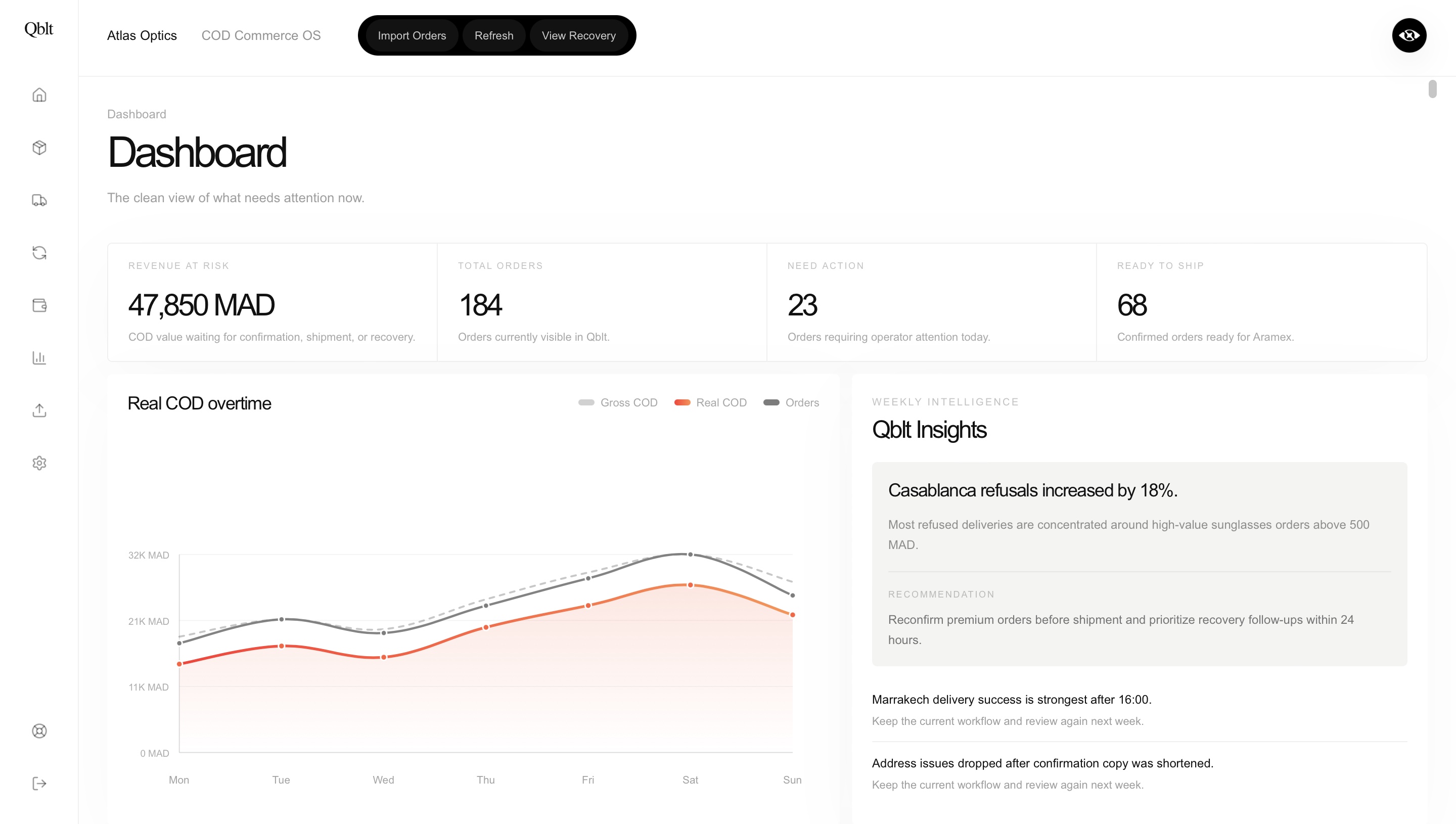
Daily COD workflow
Automate the work between confirmation and recovery.
01
Importing
Bring incoming orders into one clean operational flow.
02
Confirmation
Qblt automatically confirms orders and captures customer responses.
03
Shipping
Confirmed orders move into shipment creation, tracking, and carrier sync.
04
Recovery
Failed deliveries enter recovery so Qblt can automate the next step.
Why Qblt
COD is not a sales problem. It is an operations problem. Qblt fixes the part between the order and the money.
Qblt Network
Know the order risk before it costs you.
Qblt Network Signal helps your team spot repeated ghosting, failed deliveries, refusals, duplicate orders, and strong delivery history before the order moves forward.
Customer behavior signals
Qblt uses order and phone history to surface patterns like confirmation ghosting, failed recovery, cancellation, and refusal behavior.
Smarter Qblt Score
Network signals feed into the Qblt Score so your team can prioritize clean orders and review risky ones before shipping.
Positive history counts too
The network does not only flag risk. Customers with repeated successful delivery history can receive a cleaner signal.
Pricing
Pricing plans
Same core workflow on every plan. Upgrade only when your order volume, team size, and operational depth grow.
Basic
For solo COD sellers starting clean.
750 MAD
/month
No setup fee. Monthly plan.
Includes
Starter
For COD sellers getting organized.
1,500 MAD
/month
No setup fee. Monthly plan.
Includes
Growth
For teams handling more COD volume.
3,500 MAD
/month
No setup fee. Monthly plan.
Includes
No setup fee. Monthly subscription only. Every paid plan includes the full Qblt core workflow.
FAQ
Is there a setup fee?+
No. Qblt is a monthly subscription only. Onboarding is designed to be simple and self-serve.
Is Starter a limited version of the product?+
No. Starter includes the full core workflow: order import, confirmation, shipment preparation, tracking, and recovery.
What is the difference between Starter and Growth?+
The difference is order volume and seats. Basic supports 500 orders per month and 1 seat. Starter supports 2,000 orders per month and 2 seats. Growth supports 10,000 orders per month and 5 seats.
Does Qblt replace my carrier account?+
No. Sellers connect their Aramex, Sendit, or Ameex carrier account. Qblt helps create and track shipments from one dashboard.
Does Qblt send WhatsApp messages automatically?+
Yes. Qblt queues and sends eligible operational order messages safely through the Qblt sender. Blocked cases appear in Needs attention.
Can I use Qblt before full integrations?+
Yes. You can use manual order import, confirmation queues, shipment tracking fields, and recovery workflows first.
Are these numbers guaranteed?+
No. Landing metrics are examples of the type of revenue leak Qblt helps expose and reduce. Real results depend on order volume and operations.